A feed reader built around the news
RSS is still the open way to follow a site: most news sites, blogs and newsletters publish a feed of their new posts. A feed reader collects those feeds so you don’t have to visit each site. NewsPlay AI does that with the news in mind: your feeds sit side by side with suggested publishers, local news and searches you follow, all sorted into tabs by topic, newest stories first.
Add any feed
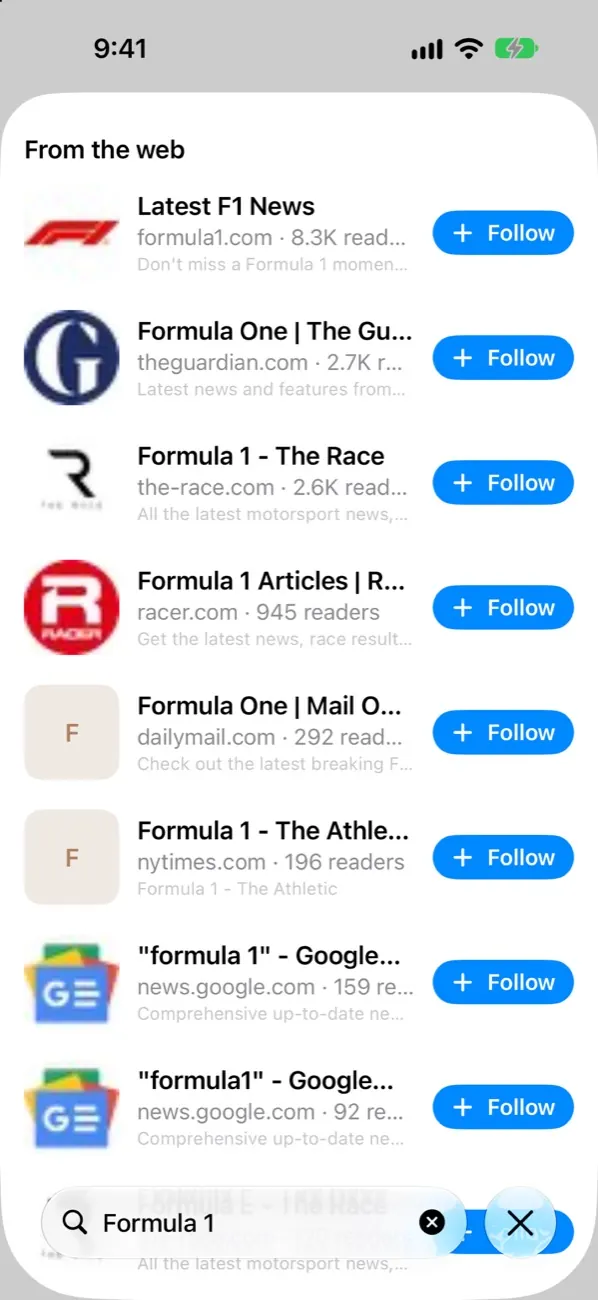
- Open Discover (the magnifying glass) and paste a link.
- Use the feed address or the site itself. You don’t need the exact feed URL: paste a site’s home page and NewsPlay looks for the feed the site advertises.
- Check the live preview of the latest stories, then add it.
Besides RSS and Atom, you can paste a YouTube channel, a subreddit, a Bluesky or Mastodon profile, or a Medium page, and NewsPlay turns it into the matching public feed. Or search Discover for a topic, a place or a site name to find feeds from across the web. You can follow up to 30 sources.
Organize feeds into topic tabs
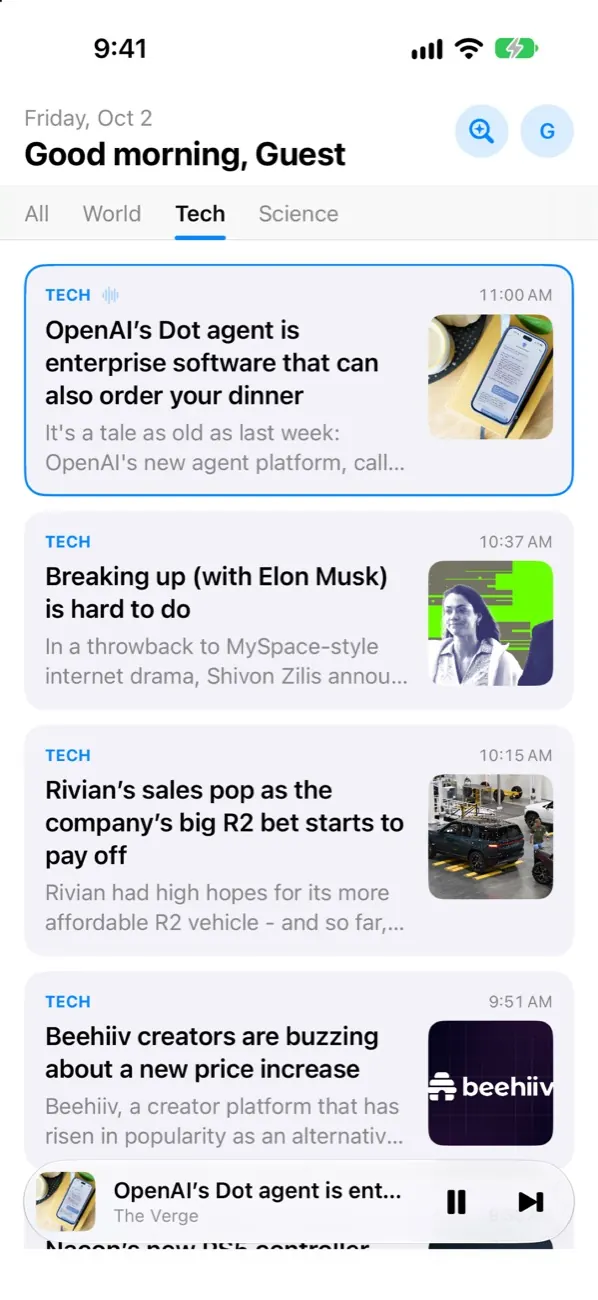
Instead of folders, NewsPlay AI uses tabs. Put each source under a topic (world, business, tech, sports, local or your own mix), and reorder the topic tabs so the most important come first. Each tab shows the latest stories from its sources, with pictures, headlines and the source named.
Follow searches next to your feeds
Some subjects don’t have a feed of their own. Search the news for a company, a team or a phrase and add it as its own tab: every new story that mentions it shows up there, from across the news. Leave out words you don’t want, and mute topics, sources or words you’d rather not see anywhere in the app.
Read in a clean view
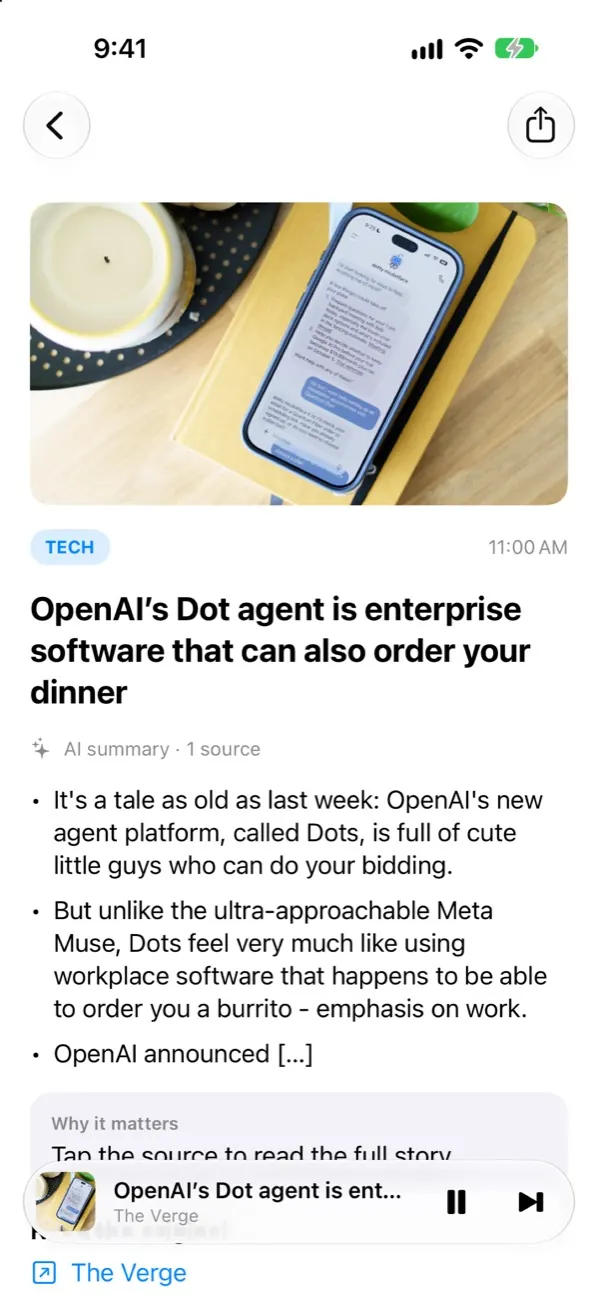
- Tap a story to open the full article in a clean reading view, without the clutter of the original page.
- Open the original site at any time.
- Save stories to read or listen to later.
- Download for offline: on Wi-Fi, NewsPlay gets the latest stories ready, with pictures and articles, so you can read on a plane.
- Pull down on the list any time to refresh.
Or listen to your feeds
This is where NewsPlay AI differs from most RSS readers: press play and it reads the newest stories from your feeds aloud, one after another, like a podcast made from your subscriptions. Ten natural voices run on your phone, free and offline, and you can open any story to hear the full article with the paragraph being read highlighted. More on that in Listen to your RSS feeds, read aloud.
What it doesn’t do
NewsPlay AI is a personal news reader. It doesn’t import or export OPML files yet, so you add feeds by pasting their links. It can’t read feeds that need a login, and services that offer no feeds (such as X or Instagram) can’t be added; the app tells you so instead of failing quietly.
Free, with Pro to remove ads
NewsPlay AI is free, with a few ads among the stories. On iPhone and iPad, NewsPlay AI Pro removes the ads. Following feeds, topic tabs, the voices and offline downloads are all in the free app.
Frequently asked questions
Is NewsPlay AI an RSS reader?
Yes. It follows any public RSS or Atom feed and shows the newest stories in topic tabs you can read, and it can also read them aloud. It's free on iPhone, iPad and Android.
Can I organize my feeds into folders?
NewsPlay AI uses topic tabs instead of folders. Put each source under a topic, reorder the tabs, and choose which tabs are read in your brief.
Can I import an OPML file?
Not at the moment. Add each feed by pasting its link, or a site's home page, in Discover. You can follow up to 30 sources.
Do I have to listen, or can I just read?
Either. Tap any story to read the full article in a clean reading view. Press play when you want your feeds read aloud.
Is the RSS reader free?
Yes, with a few ads among the stories. On iPhone and iPad, NewsPlay AI Pro removes the ads, as a monthly subscription with a 7-day free trial or a lifetime purchase.
Press play on your news
Free on the App Store and Google Play.