
What’s in your brief
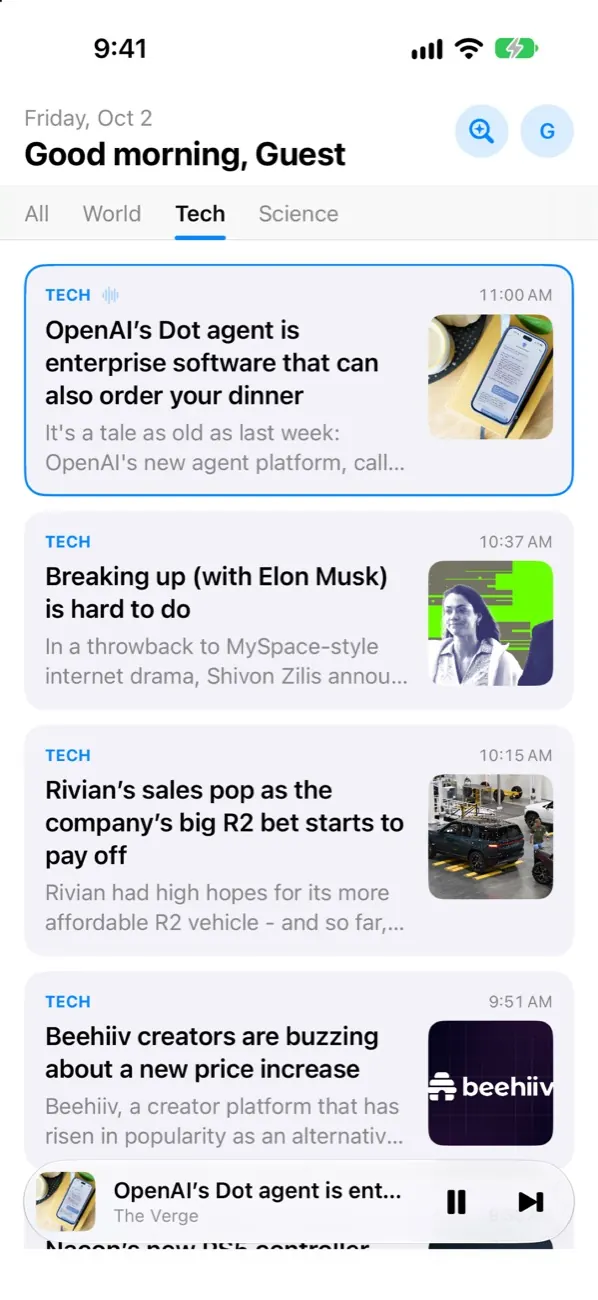
Each brief starts with a short greeting and the date. Then it reads your stories, newest first: a short summary of each one, introduced with its source, so you know who reported it. The story list follows along on screen, and you can tap any story to jump to it or open the full article. Because the brief is built from the sources and searches you add, it covers what you follow, not what someone else picked for everyone.
A morning news briefing that’s ready when you are
Set your brief time in Settings. At that time you get a notification that your news is ready, with a Play button, so you can start listening straight from the lock screen. With Download for offline on, your brief is also downloaded on Wi-Fi before then: its audio, pictures and articles, ready for a commute with no signal. On iPhone and Android you can also start it from a Home Screen widget, or by asking Siri, Google Assistant or Gemini to “Play the news on NewsPlay”.
A 5-minute news brief, or a longer one
You decide how long your briefing runs:
- Choose which tabs are read. Topics set the tabs and the order your brief is read in. Leave a tab out of the brief and it stays in the app for browsing.
- Mute what you don’t need. Muted topics, sources and words are left out of your brief.
- Skip with one tap, from the mini player, the lock screen or your headphones.
- Speed it up. Set the playback speed anywhere from 0.8× to 1.5×.
For a quick five-minute catch-up, keep the brief to a couple of tabs and skip what you’ve already heard.
Set up your daily brief
- Install NewsPlay AI from the App Store or Google Play and tap Get started (no account needed to try it).
- Pick your topics, such as world, business, tech, sports or Local for news from your town, and choose from suggested sources.
- Add your own sources by pasting a link to a site, a feed, a YouTube channel or a subreddit, or follow a search as its own tab.
- Set your brief time so the morning notification arrives when you wake up.
- Press play.
Natural voices, in your language
Ten natural voices are built in, each with its own style. They run on your phone, free and offline, and each story is read in a voice that matches its language. A natural Chinese voice is a one-time download, and on iPhone you can also use Apple’s enhanced voices. The app itself comes in 20 languages.
Summaries first, the full story when you want it
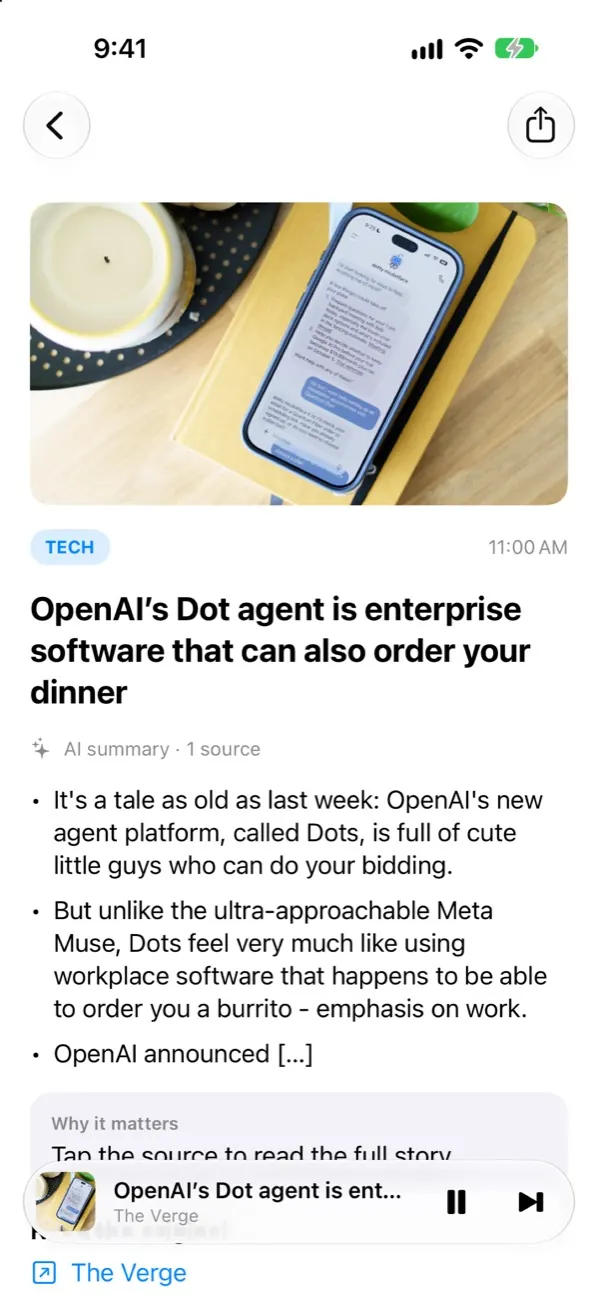
A brief is meant to be quick, so it reads a short summary of each story. Summaries can contain mistakes; every story names its source, and you can open the original or play the full article, with the paragraph being read highlighted.
Free, with Pro to remove ads
NewsPlay AI is free, with a few ads among the stories. On iPhone and iPad, NewsPlay AI Pro removes them, as a monthly subscription with a 7-day free trial or a one-time lifetime purchase.
Frequently asked questions
What is a daily news brief?
A short run through the latest news, read aloud. In NewsPlay AI it opens with a greeting, then reads a summary of each new story from the sources you chose, naming the source of every story.
Can I get my news briefing every morning?
Yes. Set your brief time in Settings. You get a notification at that time with a Play button, and with Download for offline on, the brief is downloaded on Wi-Fi before then.
Can I make my brief shorter?
Yes. Choose which tabs are read in your brief, mute topics, sources or words you don't want, skip stories with one tap and raise the speed up to 1.5x.
Does the brief read the whole article?
The brief reads a short summary of each story. Open any story to read the full article in a clean reading view, or play it to hear the whole article read aloud.
Is NewsPlay AI free?
Yes, with a few ads among the stories. On iPhone and iPad, NewsPlay AI Pro removes the ads, as a monthly subscription with a 7-day free trial or a lifetime purchase.
Press play on your news
Free on the App Store and Google Play.