
How it works
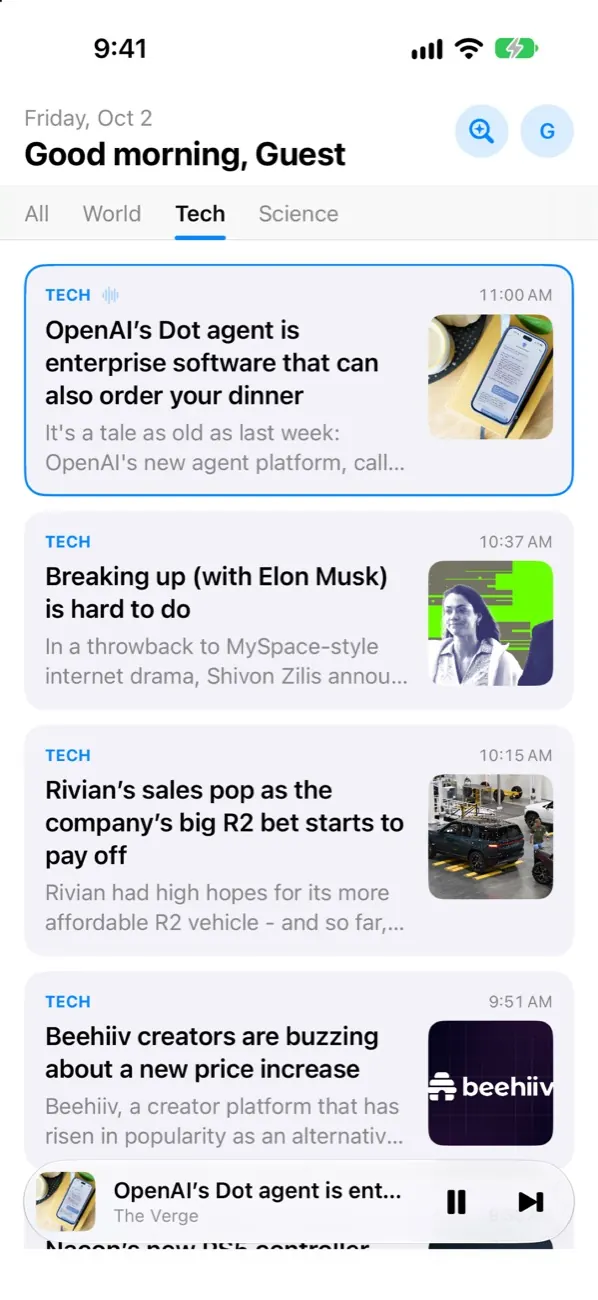
You pick the sources: suggested publishers by topic, your local newspapers and TV stations, any site with a feed, YouTube channels, subreddits, or searches you follow. NewsPlay AI gathers their newest stories into one brief, summarizes each story, and plays it like a show: a short greeting, then each summary read aloud with its source named, newest first. Skip anything with one tap.
AI summaries, then the full story if you want it
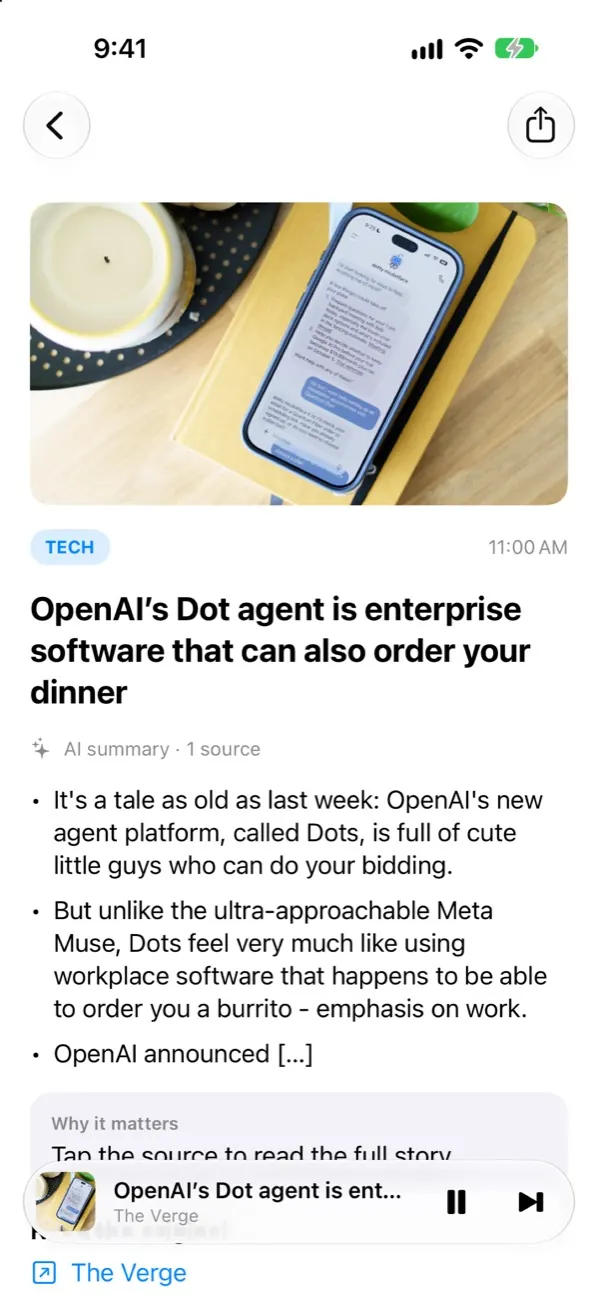
Summaries keep the brief quick, so you hear more stories in less time. When one catches your ear, open it to hear the full article read aloud, with the paragraph being read highlighted, or read it in a clean reading view. Summaries can contain mistakes; every story names its source and opens the original, so you can always check.
Text-to-speech that sounds natural
Old text-to-speech news sounded robotic and got tiring fast. NewsPlay AI uses ten natural voices built into the app, each with its own style. They run on your phone, so they’re free and keep working offline. Each story is read in a voice that matches its language; a natural Chinese voice is a one-time download, and on iPhone you can also pick Apple’s enhanced voices.
A news radio alternative on your schedule
News radio runs on its own clock: you tune in, wait through what doesn’t interest you, and hope your story comes up. With NewsPlay AI the news starts when you press play, covers the sources you chose, and lets you skip, pause or speed up (0.8× to 1.5×). Mute topics, sources and words you don’t want to hear.
News while driving
- CarPlay on iPhone and Android Auto on Android: your brief plays on the car’s screen and speakers.
- Ask by voice. On iPhone, tell Siri “Play my news brief in NewsPlay AI” to start your brief without touching the phone.
- Lock screen and headphone controls to pause or skip to the next story.
Made for the commute
- Download for offline: on Wi-Fi, NewsPlay gets your brief ready (audio, pictures and articles) for tunnels, subways and flights.
- A morning notification at your brief time, with a Play button.
- Background and lock screen playback, a mini player on every screen, and AirPlay on iPhone.
- Home Screen widgets with today’s top stories and a Play button.
- A sleep timer for the ride home or the end of the day.
Get started
- Install NewsPlay AI from the App Store or Google Play and tap Get started. No account is needed to try it.
- Pick your topics and sources, or paste a link to any site you follow.
- Press play, or connect your phone in the car and start from CarPlay or Android Auto.
Free, with Pro to remove ads
NewsPlay AI is free, with a few ads among the stories. On iPhone and iPad, NewsPlay AI Pro removes the ads, as a monthly subscription with a 7-day free trial or a one-time lifetime purchase.
Frequently asked questions
Is there an app that summarizes the news and reads it aloud?
Yes. NewsPlay AI summarizes the latest stories from the sources you choose and reads the summaries aloud in a natural voice, naming the source of each story. Open any story to hear the full article.
Does NewsPlay AI work in the car?
Yes. It works with CarPlay on iPhone and Android Auto on Android, so your brief plays on the car's screen and speakers.
Can I start the news by voice while driving?
On iPhone, yes: say "Play my news brief in NewsPlay AI" to Siri, or start it from CarPlay. On Android, start it from Android Auto.
Is NewsPlay AI a news radio station?
No. It's an app that reads the latest stories from the sources you choose, whenever you press play. You can skip, pause, change the speed and listen offline, which live radio can't do.
Are the AI summaries accurate?
Summaries can contain mistakes. Every story names its source and opens the original article, so you can always check the full story.
Is it free?
Yes, with a few ads among the stories. On iPhone and iPad, NewsPlay AI Pro removes the ads.
Press play on your news
Free on the App Store and Google Play.