
How NewsPlay AI works
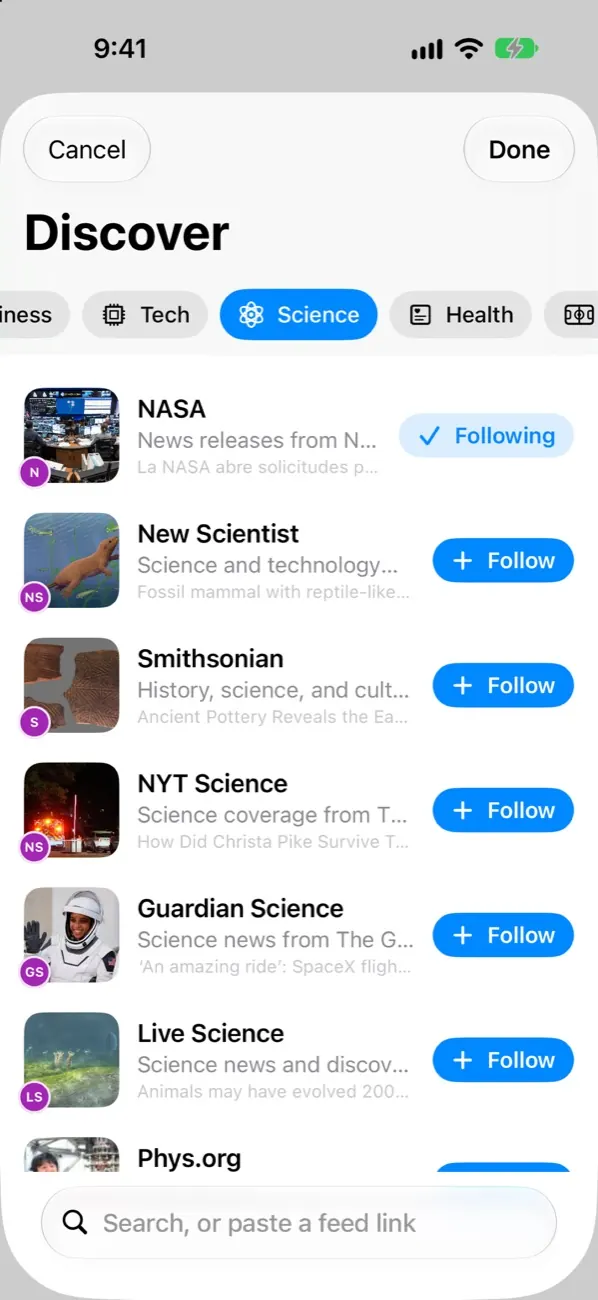
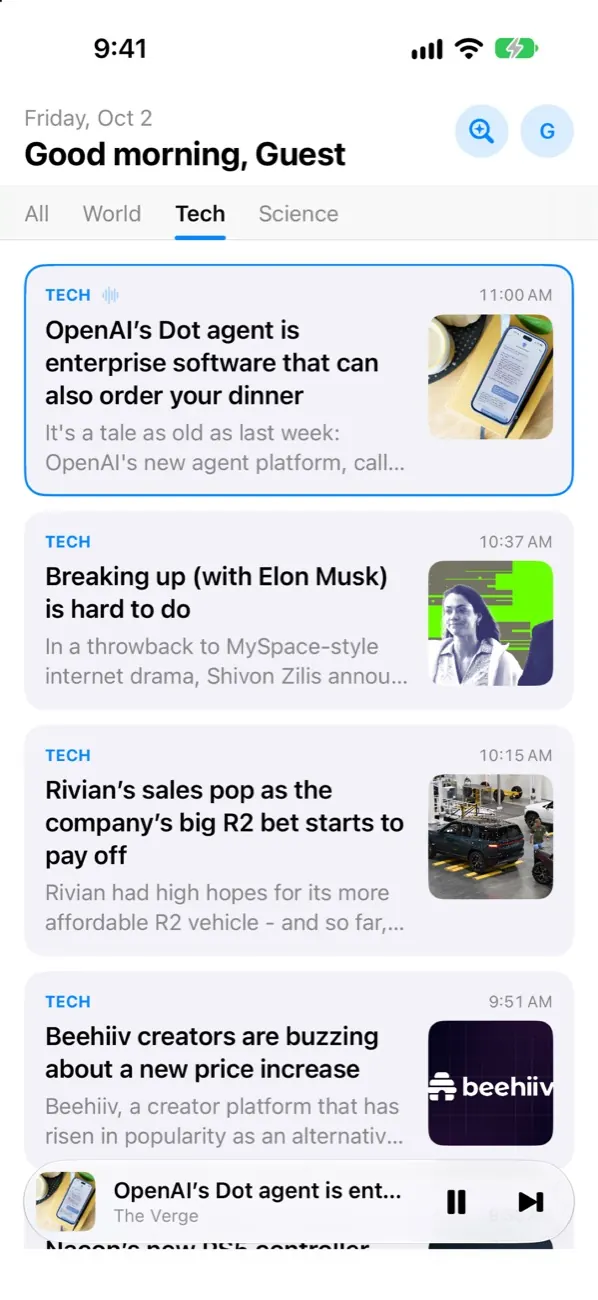
You choose the sources: suggested publishers across world news, politics, business, technology, science, health, sports and entertainment, the newspapers and TV stations near your town, or any site with a feed. NewsPlay collects their latest stories into one brief and reads it aloud, newest first, naming the source of every story. Tap any story to open the original article.
Follow topics, not just publishers
Search the news for anything (a company, a team, “electric cars”) and add the search as its own tab. Every new story that mentions it shows up there and, if you like, in your brief. Leave out words you don’t want, mute topics or sources you’d rather not hear, and check Trending to see the names in the news right now.
Built for listening
- Ten natural voices built in, each with its own style, running on your phone, free and offline.
- Each story read in a voice that matches its language; the app itself comes in 20 languages.
- Mini player on every screen, skip with one tap, speed from 0.8× to 1.5×, sleep timer.
- Background playback with lock screen and headphone controls; AirPlay and CarPlay on iPhone.
- Widgets with today’s top stories and a Play button.
- Download for offline: audio, pictures and articles ready on Wi-Fi.
Switch in a few minutes
- Install NewsPlay AI from the App Store or Google Play and tap Get started (no account needed to try it).
- Pick your topics, including Local for news from your town.
- Add the publishers you read most from the suggestions, or paste their website links. You can follow up to 30 sources.
- Follow a few searches for the subjects you track.
- Press play. Pull down to refresh whenever you want the newest stories.
Different approaches
Some news apps decide which stories and publishers you see. NewsPlay AI only reads the sources and searches you add, so you stay in control of what you hear, and you can see where each story comes from. The trade-off: you choose your sources yourself, which takes a few minutes at the start. Many people keep a headline app for browsing and use NewsPlay AI when they want to listen.
Privacy and price
We don’t sell your data or track you across apps; for local news we keep only the town you choose, and you can delete your account and its data from the app. NewsPlay AI is free with a few ads among the stories; on iPhone and iPad, NewsPlay AI Pro removes the ads.
Google News is a trademark of Google LLC. NewsPlay AI is made by Smobile Factory and is not affiliated with, endorsed by, or sponsored by Google.
Frequently asked questions
Can NewsPlay AI read the news aloud from publishers I choose?
Yes. Pick from suggested publishers, add local newspapers and TV stations, or paste a link to any site with a feed. NewsPlay AI reads their latest stories aloud, naming the source of each one.
Can I follow a topic instead of a publisher?
Yes. Search the news for a company, a team or any subject and add it as its own tab. New stories that mention it appear there and can be read in your brief. You can leave out words you don't want.
Does NewsPlay AI have local news?
Yes. Choose Local to follow newspapers and TV stations near your town, or any city you choose. For local news the app keeps only the town you pick.
Can I listen in the car?
On iPhone, NewsPlay AI works with CarPlay. On any device it keeps playing in the background with lock screen and headphone controls.
Is NewsPlay AI free?
Yes, with a few ads among the stories. On iPhone and iPad, NewsPlay AI Pro removes the ads.
Press play on your news
Free on the App Store and Google Play.