Your sources, not an algorithm’s
Many news apps choose stories and publishers for you. NewsPlay AI works like a news aggregator you set up yourself: it only shows and reads the sources and searches you add. You can see where every story comes from, and if a source stops being useful, remove it. Setting it up takes a few minutes at the start, and then your feed stays the way you made it.
Choose your news sources
Mix big publishers with the small sources nobody else covers. You can follow up to 30:
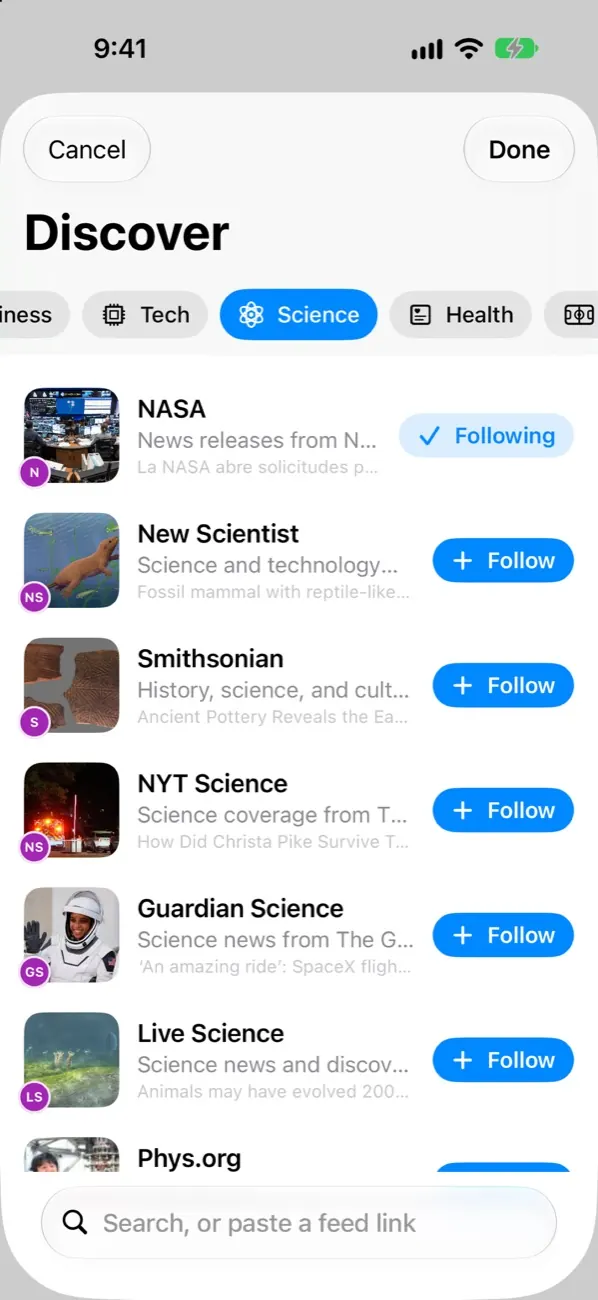
- Suggested sources by topic: world news, politics, business, technology, science, health, sports and entertainment.
- Local news: newspapers and TV stations near your town, or any city you choose.
- Any site with a feed: paste an RSS or Atom link, or just a site’s home page and NewsPlay looks for the feed the site advertises.
- More than websites: YouTube channels, subreddits, Bluesky and Mastodon profiles, and Medium pages.
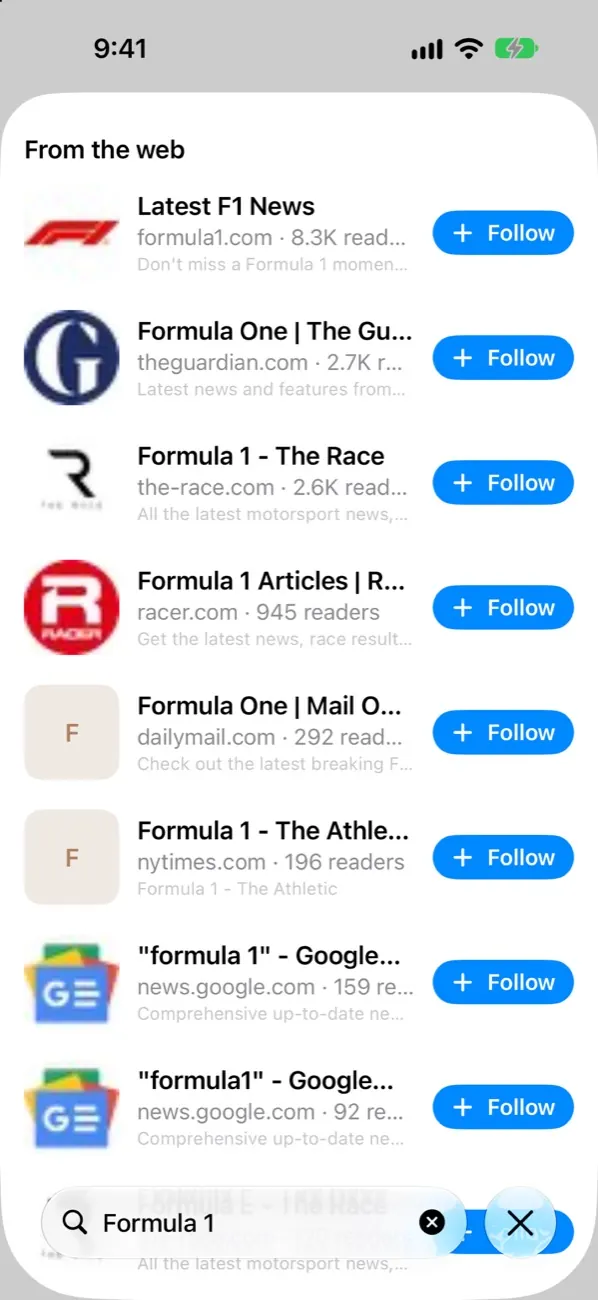
Not sure where to start? Search Discover for a topic, a place or a site name to find feeds from across the web, and check the live preview of the latest stories before you add one.
Follow topics, not just publishers
Search the news for anything (a company, a team, a band, “electric cars”) and add the search as its own tab. Every new story that mentions it shows up there, from across the news, and can be read in your brief. Leave out words you don’t want in a search to keep it on target.
Leave out what you don’t want
A personalized news app should also let you say no. In Settings under Muted, mute whole topics, single sources or words. Muted topics, sources and words are left out of your feed and your brief, and you can unmute them any time.
Arrange it your way
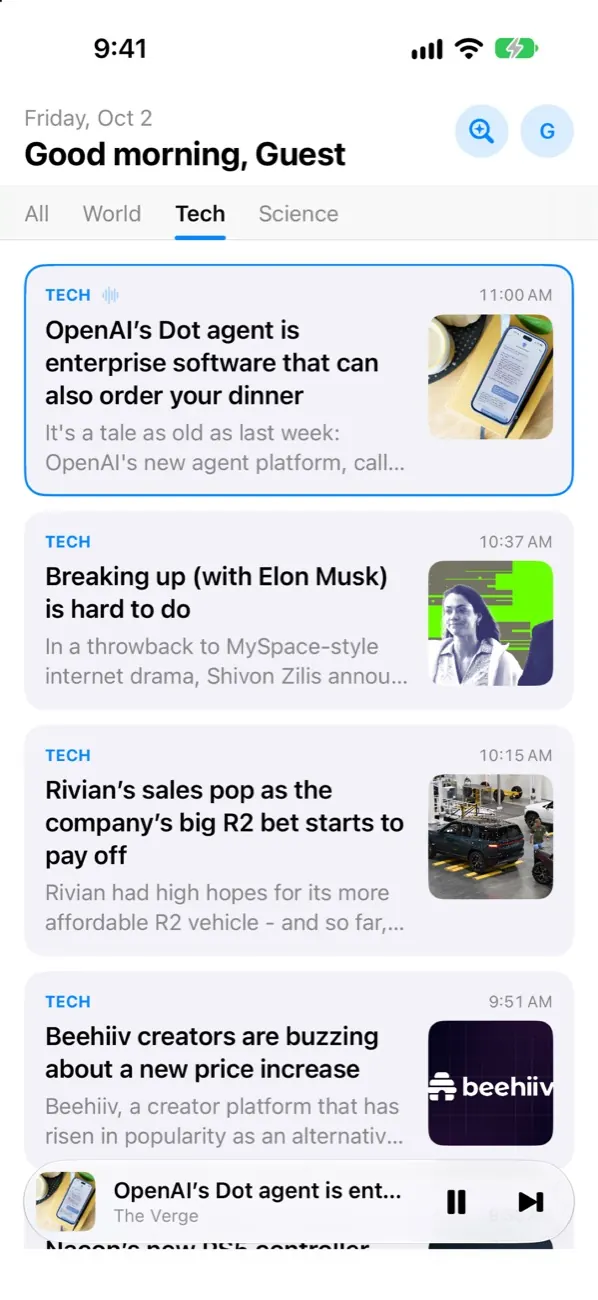
- Put each source under a topic. Topics become the tabs across the top of the app.
- Reorder the tabs so the news you care about most comes first.
- Choose which tabs are read in your brief, and keep the others for browsing.
- Sign in with Apple or Google if you like, and your sources and topics come with you on every device.
Read it or listen to it
Your feed works as a reader: tap a story to open the full article in a clean reading view, save it for later, or open the original site. And when your eyes are busy, press play. NewsPlay reads your brief aloud in a natural voice, newest stories first, each with its source named. Ten natural voices run on your phone, free and offline, and the player has speed control from 0.8× to 1.5×, a sleep timer, lock screen controls, CarPlay on iPhone and Android Auto on Android.
Free, with Pro to remove ads
NewsPlay AI is free, with a few ads among the stories. On iPhone and iPad, NewsPlay AI Pro removes the ads. Choosing sources, followed searches, muting, the voices and offline downloads are all in the free app. We don’t sell your data, and you can delete your account and everything in it from the app.
Frequently asked questions
Can I choose exactly which news sources I see?
Yes. NewsPlay AI only shows and reads the sources and searches you add: suggested publishers, local newspapers and TV stations, any RSS or Atom feed or website, YouTube channels, subreddits, Bluesky and Mastodon profiles and Medium pages.
How many sources can I follow?
Up to 30 sources, plus followed searches, each in its own tab.
Can I follow a topic instead of a publisher?
Yes. Search the news for a company, a team or any subject and add the search as its own tab. New stories that mention it appear there and can be read in your brief.
Can I hide topics, sources or words I don't want?
Yes. Under Muted in Settings, mute topics, sources or words. They are left out of your feed and your brief until you unmute them.
Is NewsPlay AI a news aggregator?
Yes, one you set up yourself. It gathers the latest stories from the sources you choose into one feed you can read, and one brief it reads aloud.
Is it free?
Yes, with a few ads among the stories. On iPhone and iPad, NewsPlay AI Pro removes the ads.
Press play on your news
Free on the App Store and Google Play.