How it works
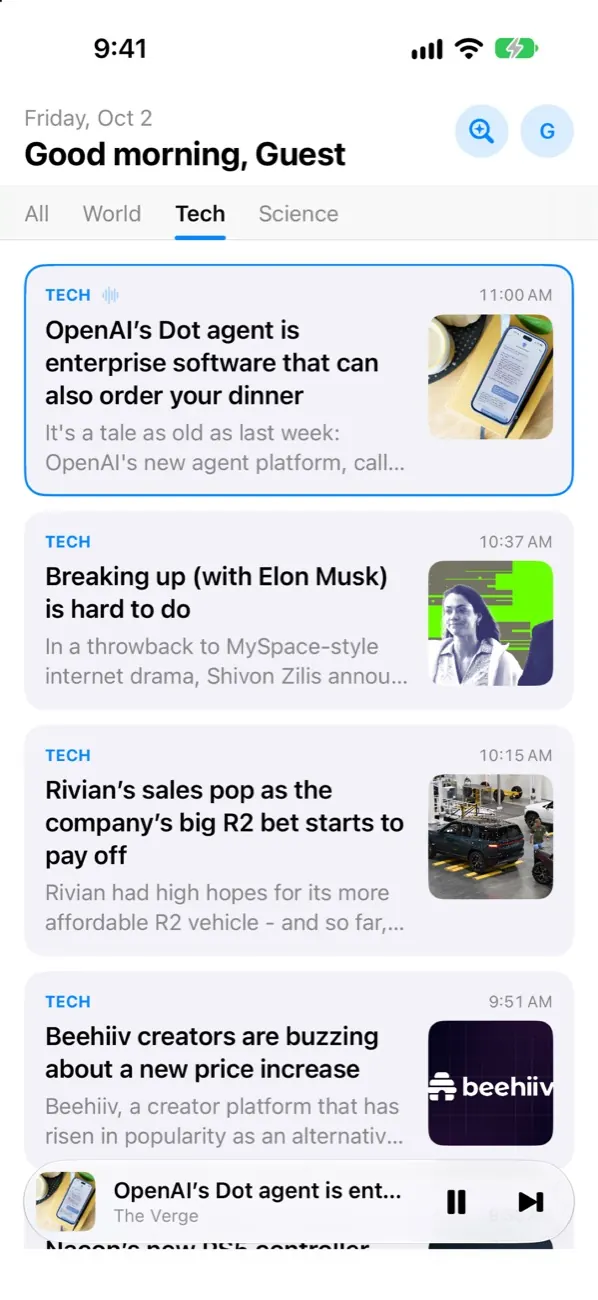
An RSS (or Atom) feed is the list of new posts that most news sites, blogs and newsletters publish for feed readers. A normal reader shows that list as text. NewsPlay AI collects the latest stories from every feed you follow, puts them in one brief, and plays it: a short greeting, then each story read aloud with its source named, so you always know where it came from.
The voices run on your phone. Ten natural voices are built into the app, each with its own style, and they work free and offline. NewsPlay recognizes the language of each story and reads it in a matching voice; a natural Chinese voice is a one-time download, and on iPhone you can also pick Apple’s enhanced voices.
Add your feeds in a minute
- Install NewsPlay AI from the App Store or Google Play and tap Get started. You can start without an account, or sign in with Apple or Google to keep your setup across devices.
- Pick a few suggested sources by topic, or skip straight to your own feeds.
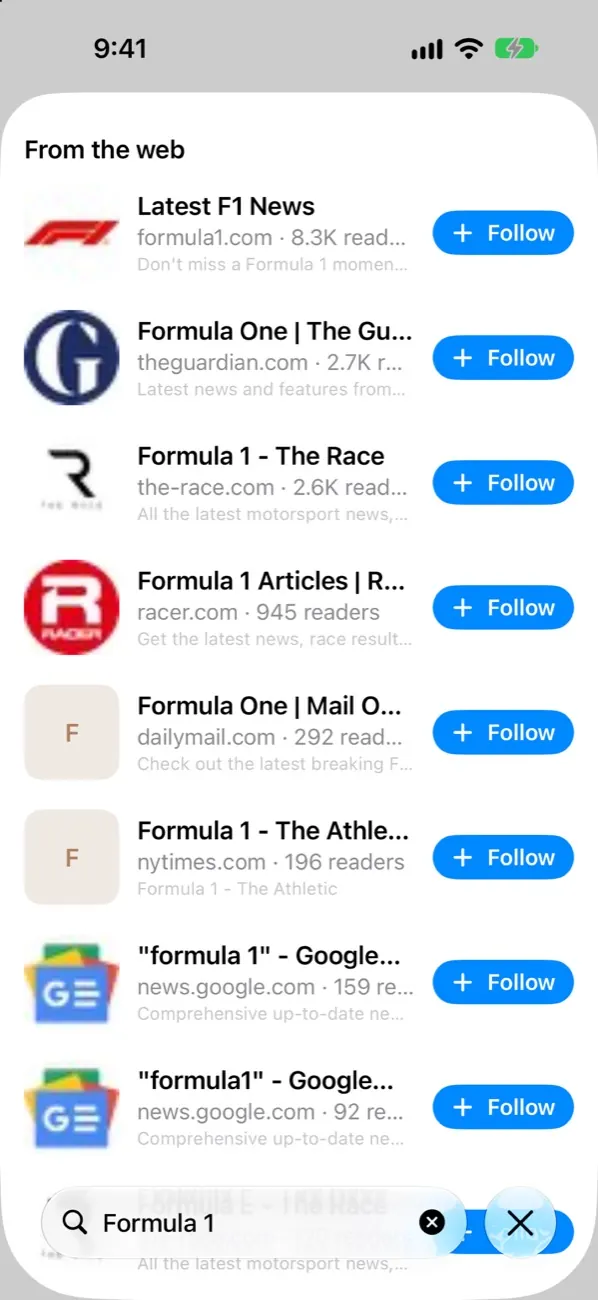
- Paste a link. Open Discover (the magnifying glass) and paste the feed address. You don’t need the exact feed URL: paste a site’s home page and NewsPlay looks for the feed the site advertises.
- Press play. Your brief starts with the newest stories. Pull down on the list any time to refresh.
More than blogs and news sites
Many places publish feeds without calling them that. Besides regular RSS and Atom links, you can paste a link to a YouTube channel, a subreddit, a Bluesky or Mastodon profile, or a Medium page, and NewsPlay turns it into the matching public feed. Sites that don’t offer feeds (X, Instagram, Facebook and others) can’t be added, and the app tells you so instead of failing quietly. You can follow up to 30 sources.
Not sure what to follow? Search Discover for a topic, a place or a site name to find feeds from across the web, add the newspapers and TV stations near your town, or turn a search like “electric cars” into its own tab that collects every new story that mentions it. Prefer to read some days? NewsPlay also works as an RSS news reader, with your feeds sorted into topic tabs.
Made for listening, not scrolling
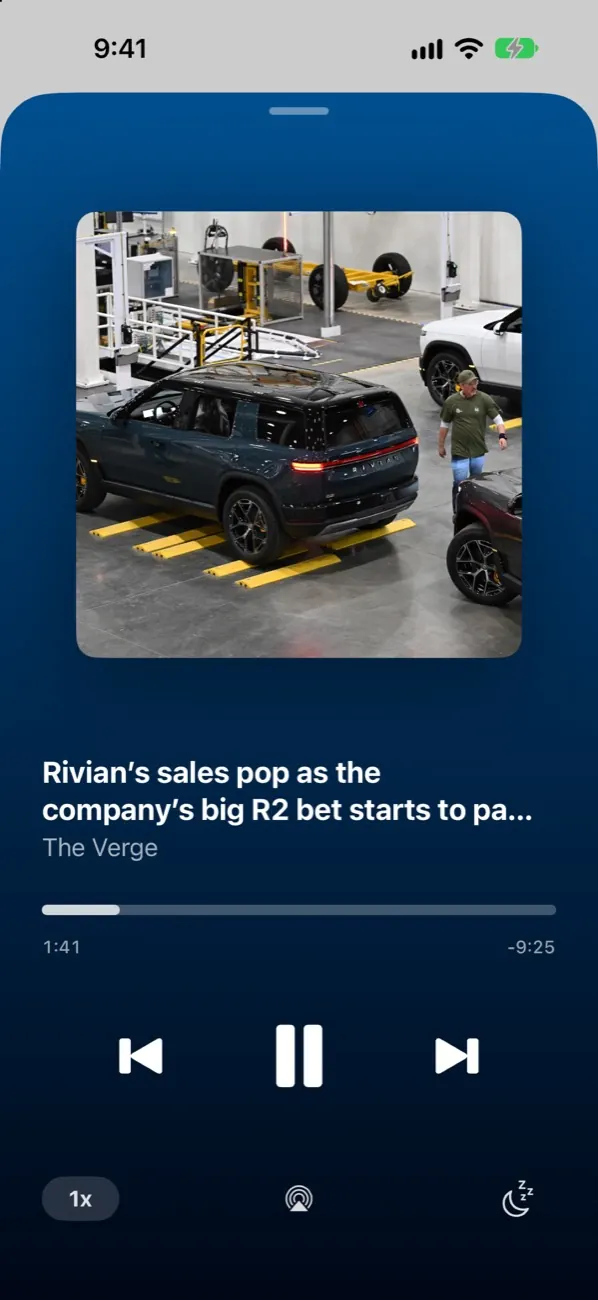
- A mini player on every screen: play, pause or skip to the next story with one tap.
- Playback speed from 0.8× to 1.5×, a sleep timer, and AirPlay on iPhone.
- Keeps playing in the background and on the lock screen, with headphone controls.
- Read along: the paragraph being read is highlighted. Tap any story to open the full article in a clean reading view and hear all of it.
- Download for offline: on Wi-Fi, NewsPlay gets your brief ready (audio, pictures and articles) so you can listen without a connection.
- Home Screen widgets with a Play button, and CarPlay on iPhone for the drive.
Free, with an option to remove ads
NewsPlay AI is free, with a few ads among the stories. On iPhone and iPad, NewsPlay AI Pro removes the ads. Following feeds, the natural voices and offline downloads are part of the free app.
Frequently asked questions
Can I listen to any RSS feed?
Any public RSS or Atom feed works, as well as links to YouTube channels, subreddits, Bluesky and Mastodon profiles and Medium pages. If you paste a website's home page, NewsPlay AI looks for the feed the site advertises. Feeds that need a login or a paid key can't be read.
Does NewsPlay AI turn my RSS feeds into a podcast feed for other podcast apps?
No. NewsPlay AI plays your feeds inside the app, like a podcast, with its own player, speed control and sleep timer. It does not publish a podcast feed that other podcast apps can subscribe to.
Can I import an OPML file from another feed reader?
Not at the moment. Add your feeds by pasting each feed or website link in Discover. You can follow up to 30 sources.
Do the voices need an internet connection?
No. The natural voices run on your phone, so stories you have already downloaded can be read aloud offline. Turn on Download for offline to get each brief ready on Wi-Fi.
Is it free?
Yes. NewsPlay AI is free with a few ads. On iPhone and iPad, NewsPlay AI Pro removes the ads, as a monthly subscription with a 7-day free trial or a one-time lifetime purchase.
Press play on your news
Free on the App Store and Google Play.